How to Search, Locate Records, and Navigate Systems Like a Pro
Every researcher, legal professional, or genealogist faces the same challenge: locating precise records buried within sprawling databases or fragmented archives. The process of searching, locating records, and navigating systems isn’t just about typing keywords into a search bar—it’s a methodical blend of strategy, patience, and technical know-how. Without the right approach, hours can vanish chasing dead ends, while the right technique transforms a daunting task into a streamlined workflow.
The stakes are higher than ever. Whether tracking down a decades-old court filing, reconstructing a family tree from scattered census data, or auditing a corporate database for compliance, the ability to traverse complex record-keeping systems determines success. Yet most users treat these systems as monolithic black boxes, unaware of the hidden pathways, metadata filters, or institutional quirks that can unlock elusive information.
What separates the efficient from the frustrated? It’s not just the tools—though they matter—but the mental framework. A seasoned archivist doesn’t stumble upon records; they navigate the system with intentionality. This requires understanding how records are classified, where gaps in digitization exist, and how to leverage both automated searches and manual cross-referencing. The difference between a hit and a miss often lies in the details: a misplaced date range, an overlooked jurisdiction, or an unindexed field.
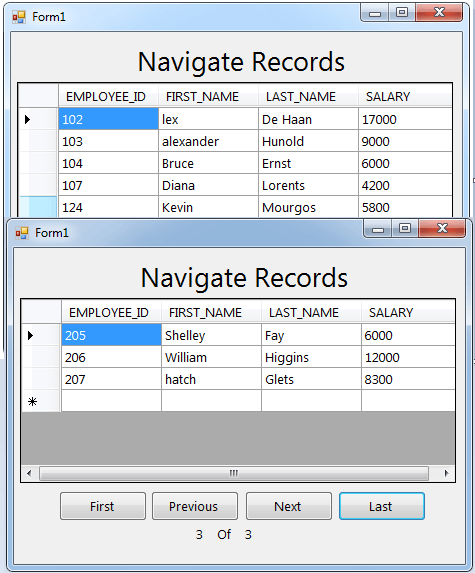
The Complete Overview of Searching, Locating Records, and Navigating Systems
The process of searching, locating records, and navigating systems is a multi-layered discipline that spans technology, human behavior, and institutional design. At its core, it involves three interdependent phases: discovery (finding the right system or repository), retrieval (extracting relevant records), and analysis (interpreting and synthesizing the data). Each phase demands a tailored approach, whether dealing with a digitized government archive, a proprietary corporate database, or a handwritten ledger in a local courthouse.
Modern systems—from the National Archives’ online portals to enterprise-level document management software—are built on principles of categorization, indexing, and accessibility. However, their effectiveness hinges on how users interact with them. A poorly structured query can yield thousands of irrelevant results, while a well-crafted search string, combined with an understanding of system metadata, can pinpoint exact records in seconds. The key lies in aligning the user’s intent with the system’s architecture, a balance that requires both technical literacy and domain-specific knowledge.
Historical Background and Evolution
The evolution of record navigation systems mirrors the broader trajectory of information management. Before the digital age, researchers relied on physical archives, where locating records was a matter of navigating card catalogs, microfiche, or handwritten indices. The advent of computers in the 1970s introduced early database systems, but these were often siloed and inaccessible to the average user. The real turning point came with the internet, which democratized access to records but also introduced new complexities—such as fragmented digitization, inconsistent metadata standards, and paywalled repositories.
Table of Contents
- The Complete Overview of Searching, Locating Records, and Navigating Systems
- Historical Background and Evolution
- Core Mechanisms: How It Works
- Key Benefits and Crucial Impact
- Major Advantages
- Comparative Analysis
- Future Trends and Innovations
- Conclusion
- Comprehensive FAQs
- Q: How do I improve my search results when using a government records database?
- Q: What should I do if a record I need isn’t digitized?
- Q: Are there free alternatives to paid record databases like Ancestry or LexisNexis?
- Q: How can I navigate a system where records are spread across multiple jurisdictions?
- Q: What’s the best way to organize records I’ve located for long-term projects?
- Q: Can I automate parts of the record-searching process?
Today, the landscape is a hybrid of legacy systems and cutting-edge technologies. Government agencies, for instance, still maintain paper records alongside digitized versions, creating a dual-track retrieval process. Meanwhile, private-sector databases—like those used in healthcare or finance—employ advanced encryption and access controls, adding layers of bureaucracy. The challenge of searching and locating records has thus shifted from physical limitations to navigating a patchwork of digital and analog interfaces, each with its own rules and quirks.
Core Mechanisms: How It Works
The mechanics behind navigating record systems revolve around three pillars: indexing, query processing, and user interface design. Indexing determines how records are categorized and stored—whether by date, keyword, or hierarchical classification. Query processing interprets user input, matching it against indexed data using algorithms that prioritize relevance. Finally, the user interface dictates how accessible these functions are, from simple search bars to advanced filters and faceted navigation.
For example, a genealogist searching for a 19th-century census record might start with a broad query in the U.S. National Archives’ database, then narrow it down using filters for state, county, and year. Behind the scenes, the system cross-references the query with pre-indexed metadata (e.g., "1850 Census, Ohio, Hamilton County") and returns results ranked by relevance. However, if the record hasn’t been digitized, the user must then navigate to a physical archive, where manual processes—like requesting microfilm or consulting a reference librarian—take over. This hybrid approach is the reality of modern record retrieval.
Key Benefits and Crucial Impact
The ability to efficiently search, locate, and navigate records is more than a convenience—it’s a competitive advantage. For legal professionals, it means faster case preparation and stronger evidence gathering. For genealogists, it unlocks family histories that might otherwise remain lost. For businesses, it ensures compliance, reduces audit risks, and optimizes operational efficiency. The impact extends beyond individual tasks; it reshapes entire industries by enabling data-driven decision-making.
Yet the benefits are often overshadowed by the frustration of failed searches or inaccessible systems. Many users abandon their efforts when a query returns no results, unaware that the issue might lie in a misconfigured filter, an outdated index, or a lack of alternative search pathways. Understanding the underlying mechanics—not just the tools—can turn these obstacles into opportunities. For instance, knowing that some records are only accessible via third-party aggregators or that certain databases require API keys can save weeks of dead-end research.
"The most valuable records are often the ones no one bothers to search for—because they’re hidden in plain sight, buried under layers of outdated classification or obscured by poor metadata."
— Dr. Eleanor Whitmore, Archivist and Digital Preservation Specialist
Major Advantages
- Time Efficiency: Advanced search techniques—such as Boolean operators, wildcards, and field-specific queries—can reduce retrieval time from hours to minutes. For example, combining "AND," "OR," and "NOT" in a legal database narrows results to only the most pertinent cases.
- Accuracy and Completeness: Manual cross-referencing with multiple sources (e.g., checking both digitized and physical records) minimizes errors caused by incomplete digitization or indexing gaps.
- Cost Savings: Avoiding unnecessary trips to archives or purchasing redundant records through efficient online searches cuts expenses significantly.
- Scalability: Mastering system navigation allows users to handle large-scale projects—such as digitizing an entire town’s historical records—by automating repetitive searches and organizing findings systematically.
- Access to Exclusive Data: Some records, like restricted court files or proprietary corporate documents, require specialized access methods (e.g., FOIA requests, institutional partnerships). Knowing how to navigate these systems unlocks otherwise inaccessible information.
Comparative Analysis
| Traditional Archival Search | Digital Database Search |
|---|---|
|
|
| Hybrid Approach (Physical + Digital) | Specialized Third-Party Tools |
|
|
Future Trends and Innovations
The next decade of record navigation systems will be shaped by artificial intelligence, blockchain, and decentralized architectures. AI-powered search engines are already improving query interpretation, suggesting refinements in real time based on user behavior. For instance, a system might detect that a genealogist frequently searches for "1880 Census" and pre-populate related filters for subsequent queries. Blockchain technology, meanwhile, is being explored for creating tamper-proof record-keeping systems, particularly in legal and financial sectors where audit trails are critical.
Another emerging trend is the integration of natural language processing (NLP), which allows users to search records using conversational queries (e.g., "Find all property deeds in San Francisco from 1920 to 1930"). This reduces the need for complex Boolean logic and makes systems more intuitive. Additionally, collaborative platforms—where researchers can annotate and share findings within a database—are bridging the gap between solitary and communal knowledge-building. As these innovations mature, the process of searching, locating, and navigating records will become increasingly seamless, though the human element—critical thinking and contextual understanding—will remain irreplaceable.

Conclusion
The art of searching, locating records, and navigating systems is equal parts science and craft. It demands a blend of technical proficiency, institutional awareness, and adaptability—qualities that separate the adept researcher from the overwhelmed novice. While tools and technologies evolve, the fundamental principles remain: understand the system’s structure, leverage its features, and never underestimate the value of alternative pathways.
For those willing to invest the time in mastering these skills, the rewards are substantial. Whether uncovering a forgotten ancestor’s immigration record or securing a critical legal document, the ability to traverse complex information ecosystems is a skill that transcends disciplines. The future of record navigation lies not just in faster searches, but in smarter, more interconnected ways of accessing and interpreting the past—and present.
Comprehensive FAQs
Q: How do I improve my search results when using a government records database?
A: Start by using specific filters (e.g., date ranges, jurisdiction) and Boolean operators (AND, OR, NOT) to refine queries. Many government databases also support advanced search syntax, such as wildcards (*) for partial matches. If results are still unclear, consult the database’s help section or contact the archivist for guidance on metadata fields.
Q: What should I do if a record I need isn’t digitized?
A: Check the repository’s website for physical access options, such as microfilm, paper copies, or on-site research appointments. Some institutions offer digitization-on-demand services for a fee. Alternatively, reach out to local historical societies or genealogical groups, which may have transcribed or photocopied versions.
Q: Are there free alternatives to paid record databases like Ancestry or LexisNexis?
A: Yes. For genealogical research, try FamilySearch (free, church-affiliated) or the National Archives’ online catalog. For legal records, state courthouse websites or the FBI’s Vault often provide free access. Libraries with genealogy collections (e.g., the Library of Congress) may also offer free resources.
Q: How can I navigate a system where records are spread across multiple jurisdictions?
A: Begin by mapping out the jurisdictions involved (e.g., county, state, federal) and identifying which agencies hold relevant records. Use cross-referencing tools like the National Archives’ Research Room or state-specific archives directories. For complex cases, consider hiring a professional researcher or using a third-party service that specializes in multi-jurisdictional searches.
Q: What’s the best way to organize records I’ve located for long-term projects?
A: Use a digital filing system (e.g., Evernote, Notion) with clear folders for each record type (e.g., "Census," "Land Deeds," "Court Cases"). Include metadata like source, date, and location. For physical records, store them in acid-free sleeves and label them consistently. Regularly back up digital files to cloud storage or external drives to prevent loss.
Q: Can I automate parts of the record-searching process?
A: Yes, depending on the system. Many databases support API access, allowing developers to write scripts (e.g., in Python) to batch-search records. Tools like Google Apps Script or Zapier can also automate data extraction from web-based systems. For non-technical users, browser extensions (e.g., "Instant Data Scraper") can help extract structured data from search results.
Leave a Comment
Comments are moderated before appearing. The data you submit is processed according to the Privacy Policy of Bevvy.